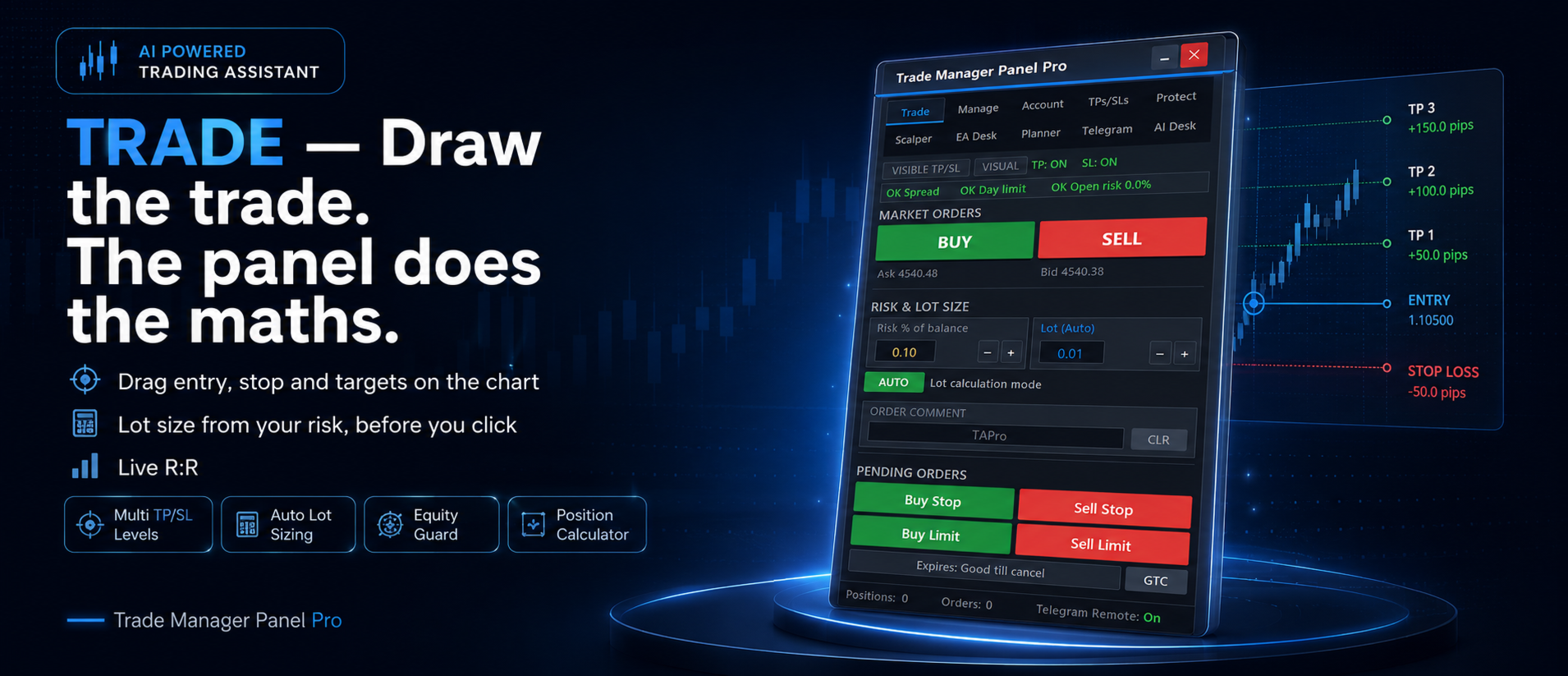
Trade Manager Panel Pro MT5 combines manual order planning, account protection, per-EA reporting and optional AI or Telegram controls. Its AI desk proposes actions for confirmation rather than independently opening trades.
The EA Desk groups activity by robot and magic number, while management controls can extend to trades the panel did not open. Check ownership carefully: an external trailing rule can conflict with the originating strategy’s exits. Reporting attribution is also only as reliable as the identifiers used by the account.
Connected assistance is optional
The publisher supports several third-party AI providers and says regular use needs the operator’s own API key. Telegram adds remote management actions. Establish permissions, connection requirements and confirmation behaviour separately from testing the panel’s local execution and daily-loss controls.
Before installation
Settings and setup requirements
These notes summarize the publisher material reviewed for Trade Manager Panel Pro MT5. Check the original manual and current release before configuring an account.
Category
MT5 trade-management utility
AI execution boundary
Proposals require user action; publisher says AI does not open trades itself
External service
Own provider API key needed for regular AI use
Risk controls
Daily Guardian, equity limits, position limits and trade-risk planning
Publisher price at review
48 USD. Confirm current purchase and rental terms on MQL5.
Source evidence
Utility features and verification
Chart examples describe the tool’s operation. They do not establish realised returns or independent trading performance.
What to assess before choosing Trade Manager Panel Pro MT5
Test remote close commands and verify exactly which trades they affect.
Distinguish local hidden stops from protective orders already submitted to the broker.
Third-party product research, not YO4X trading results. Past results do not establish future returns.
Publisher material
Trade Manager Panel Pro MT5 images
Original publisher material. Embedded figures may describe a simulation or an earlier account snapshot; this is not a YO4X result.Original source ↗
Try before choosing
Trade Manager Panel Pro MT5: licence and demonstration options
Trading utilities may depend on live messages, chart interaction or external connections that a historical tester cannot reproduce. Check the original listing for a demonstration, video or rental option. Any publisher-offered trial must be checked for duration, demo-account limits and required connections; this guide does not verify a free unrestricted version.
For Trade Manager Panel Pro MT5, use the setup notes above to identify what the tester can demonstrate and what still requires a supported account, data source or publisher guidance. Read MQL5’s product-testing rules ↗
Explore YO4X
Free local access. Clear product terms.
YO4X offers free local access to its supported strategy catalogue through the Windows app on supported MT5 demo accounts. This research page does not confirm that Trade Manager Panel Pro MT5 is included or compatible.
A free full-product licence is not confirmed here for Trade Manager Panel Pro MT5. Check the publisher’s current purchase, rental or tester options on MQL5. YO4X does not distribute the publisher’s EX5 file from this page.
Ask support about current app availability before choosing a strategy. Arbitrary EX5 uploads are not supported; cloud execution and brokerage costs are separate.
Does purchasing the panel include ongoing AI service?
The listing mentions a short trial but requires a separate provider API key for regular use. Verify provider charges and terms.
Can it manage trades from another EA?
The publisher describes that capability. Define scope and disable competing trailing or close rules before using it.
Sources and editorial notes
Source review: 22 September 2026. This guide draws on the official product listing. A link does not mean we have reviewed the file contents. Where reviewed, the guide summarizes them with attribution.
YO4X Research is the site’s editorial attribution, not a certification or a named independent tester. We have not installed or forward-tested this product for this guide. Publisher claims, screenshots and source-account statistics do not establish that the current version reproduces those results. Artwork belongs to its original publisher.