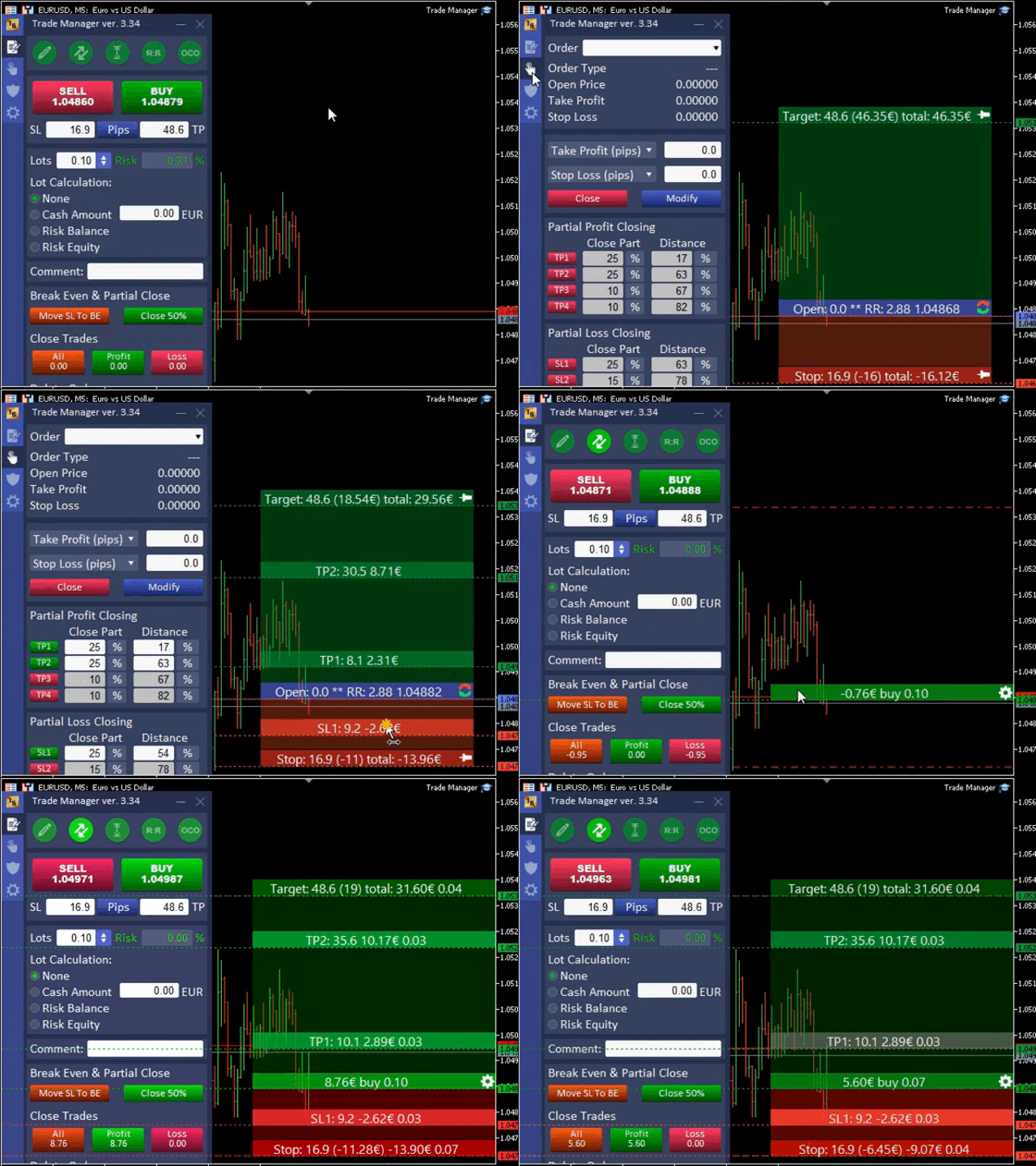
Forex Trade Manager MT5 is a position-sizing and trade-management panel for manually planned or externally opened trades. Its documented functions include chart-based order planning, partial exits, break-even, trailing and equity protection. A distinctive capability is detecting trades opened from another interface, including the mobile app, and applying configured management. It should be assessed as an execution utility rather than as an autonomous source of profitable entry signals.
An external trade still needs an explicit management policy
The publisher describes detecting a mobile or externally opened trade, reading its stop and calculating an adjusted position size. Establish exactly which orders the tool is allowed to manage before testing this feature. A panel that acts on all account positions can conflict with another EA’s exits or sizing. Use identifiers and the documented scope controls, then verify the resulting volume, protective orders and log messages on a demo account. The phone remains an entry interface while the desktop or VPS runs the management process.
Multiple exit layers can produce unexpected sequences
The tool offers several break-even and trailing styles, partial take-profit and stop-loss actions, and a common break-even concept for groups of trades. These features are useful only when their interaction is understood. Test what happens when a partial exit and trailing adjustment trigger together, and whether the remaining volume can be traded under the broker’s minimum increment. A group break-even level should also be interpreted with transaction costs and position sizes, not just the arithmetic average of entry prices.
Workflow convenience does not replace execution checks
Draggable entry and exit lines help organise a plan, while templates can make repeated actions consistent. However, a saved template can also repeat an incorrect risk base or hidden-stop configuration. Inspect the monetary loss estimate before submission and confirm what remains active during a disconnection. The publisher advertises support for non-standard charts and offers a trial through the profile. Use that access to test the intended chart and broker environment rather than assuming all displayed functions behave identically everywhere.
Before installation
Settings and setup requirements
These notes summarize the publisher material reviewed for Forex Trade Manager MT5. Check the original manual and current release before configuring an account.
Product role
Position-size calculation, order preparation and trade management
External management
Can manage permitted trades opened from other account interfaces
Evaluation
Publisher invites requests for a seven-day trial
Publisher price at review
99 USD. Confirm current purchase and rental terms on MQL5.
Source evidence
Utility features and verification
No direct public MQL5 account was identified in the reviewed listing. For a utility, evaluate the advertised workflow, permissions, connections and failure handling. A trading account return would not by itself verify that these functions work.
What to assess before choosing Forex Trade Manager MT5
Limit external-order management to the intended positions.
Test partial exits with the broker’s lot increments.
Review saved templates for risk base and hidden controls.
Third-party product research, not YO4X trading results. Past results do not establish future returns.
Publisher material
Forex Trade Manager MT5 images
Original publisher material. Embedded figures may describe a simulation or an earlier account snapshot; this is not a YO4X result.Original source ↗
Try before choosing
Forex Trade Manager MT5: licence and demonstration options
Trading utilities may depend on live messages, chart interaction or external connections that a historical tester cannot reproduce. Check the original listing for a demonstration, video or rental option. Any publisher-offered trial must be checked for duration, demo-account limits and required connections; this guide does not verify a free unrestricted version.
For Forex Trade Manager MT5, use the setup notes above to identify what the tester can demonstrate and what still requires a supported account, data source or publisher guidance. Read MQL5’s product-testing rules ↗
Explore YO4X
Free local access. Clear product terms.
YO4X offers free local access to its supported strategy catalogue through the Windows app on supported MT5 demo accounts. This research page does not confirm that Forex Trade Manager MT5 is included or compatible.
A free full-product licence is not confirmed here for Forex Trade Manager MT5. Check the publisher’s current purchase, rental or tester options on MQL5. YO4X does not distribute the publisher’s EX5 file from this page.
Ask support about current app availability before choosing a strategy. Arbitrary EX5 uploads are not supported; cloud execution and brokerage costs are separate.
The publisher describes this workflow, but the management instance must remain running on the desktop terminal or VPS. Test its order-selection rules and sizing adjustments. A mobile entry should not be assumed protected by the tool until the expected stop and management state are actually visible.
Does a risk calculator remove trading risk?
No. It translates assumptions about stop distance, account value and contract specifications into volume. Fills can differ and virtual controls depend on software availability. Review the assumptions and actual orders; the quality of the market decision remains separate from the convenience of the calculation.
Sources and editorial notes
Source review: 17 September 2026. This guide draws on the official product listing. A link does not mean we have reviewed the file contents. Where reviewed, the guide summarizes them with attribution.
YO4X Research is the site’s editorial attribution, not a certification or a named independent tester. We have not installed or forward-tested this product for this guide. Publisher claims, screenshots and source-account statistics do not establish that the current version reproduces those results. Artwork belongs to its original publisher.