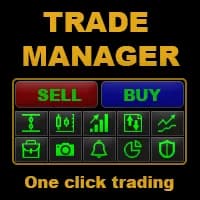
TradePanel MT5 is a manual-trading assistant with order placement, risk calculation, group closes, reversal, locking and partial-close functions. Its publisher provides separate installation, visual testing and VPS instructions, plus a demo-account trial reference.
TradePanel MT5 is a manual-trading assistant with order placement, risk calculation, group closes, reversal, locking and partial-close functions. Its publisher provides separate installation, visual testing and VPS instructions, plus a demo-account trial reference.
What to test in TradePanel MT5
One-click batch actions can affect several positions at once. Practice order selection and volume calculation in visual or demo mode before using the panel on an existing portfolio.
TradePanel should be reviewed as a control surface for deliberate trading actions. Before using group-close, reverse or lock functions, establish how the panel selects positions by symbol and identifier. An accidental scope selection can matter more than a small execution delay. Compare the lot calculated for a fixed cash risk with the terminal’s tick value, especially on gold or indices. A visual-mode exercise is useful for practicing button behavior, while a demo terminal is needed to observe actual broker constraints.
Verifying manual order controls on demo
No direct account signal was extracted from the reviewed manual-trading panel. The relevant checks are order direction, calculated volume, stop distance and the effect of group-close, reversal and locking actions. Follow the publisher’s installation and visual-testing instructions, then compare those actions on a demo account. This research describes the documented functions; it does not claim that YO4X has independently tested the panel.
Before installation
Settings and setup requirements
These notes summarize the publisher material reviewed for TradePanel MT5. Check the original manual and current release before configuring an account.
Product type
trading utility
Platform
MetaTrader 5
Publisher
Alfiya Fazylova
Research basis
Publisher product description and linked references
YO4X availability
Research listing; inclusion not verified
Publisher price at review
100 USD. Confirm current purchase and rental terms on MQL5.
No direct public MQL5 account was identified in the reviewed listing. For a utility, evaluate the advertised workflow, permissions, connections and failure handling. A trading account return would not by itself verify that these functions work.
What to assess before choosing TradePanel MT5
One-click batch actions can affect several positions at once. Practice order selection and volume calculation in visual or demo mode before using the panel on an existing portfolio.
Third-party product research, not YO4X trading results. Past results do not establish future returns.
Publisher material
TradePanel MT5 images
Original publisher material. Embedded figures may describe a simulation or an earlier account snapshot; this is not a YO4X result.Original source ↗
Try before choosing
TradePanel MT5: licence and demonstration options
Trading utilities may depend on live messages, chart interaction or external connections that a historical tester cannot reproduce. Check the original listing for a demonstration, video or rental option. Any publisher-offered trial must be checked for duration, demo-account limits and required connections; this guide does not verify a free unrestricted version.
For TradePanel MT5, use the setup notes above to identify what the tester can demonstrate and what still requires a supported account, data source or publisher guidance. Read MQL5’s product-testing rules ↗
Explore YO4X
Free local access. Clear product terms.
YO4X offers free local access to its supported strategy catalogue through the Windows app on supported MT5 demo accounts. This research page does not confirm that TradePanel MT5 is included or compatible.
A free full-product licence is not confirmed here for TradePanel MT5. Check the publisher’s current purchase, rental or tester options on MQL5. YO4X does not distribute the publisher’s EX5 file from this page.
Ask support about current app availability before choosing a strategy. Arbitrary EX5 uploads are not supported; cloud execution and brokerage costs are separate.
The research is free to read; the original product is listed at 100 USD. No free EX5 download or YO4X inclusion has been verified.
What should I check before using TradePanel MT5?
One-click batch actions can affect several positions at once. Practice order selection and volume calculation in visual or demo mode before using the panel on an existing portfolio.
Where is the official TradePanel MT5 documentation?
Use the linked author references below and the official product page. The publisher is Alfiya Fazylova. Confirm the manual applies to the installed version.
Sources and editorial notes
Source review: 17 September 2026. This guide draws on the official product listing, 5 linked publisher guidance references. A link does not mean we have reviewed the file contents. Where reviewed, the guide summarizes them with attribution.
YO4X Research is the site’s editorial attribution, not a certification or a named independent tester. We have not installed or forward-tested this product for this guide. Publisher claims, screenshots and source-account statistics do not establish that the current version reproduces those results. Artwork belongs to its original publisher.