Voluris Volume profile engine is a discretionary market-context workspace focused on volume distribution and value areas. It is presented as a confirmation tool rather than a complete automatic Gold signal system.
How Voluris Volume profile engine is described by its publisher
The description brings together point of control, previous value areas and VWAP-style references. These help organize market context, but the trader still needs a rule for acting near a level. Volume interpretation also depends on the underlying feed. A broker’s retail tick activity should not automatically be read as a complete centralized record of market-wide traded volume.
Using Voluris Volume profile engine with clear rules
Voluris is most useful when the trader has a predefined interpretation of value. Decide whether a point of control is a destination, a barrier or simply background context for the strategy. The same level can support contradictory retrospective stories if the decision rule is chosen only after price moves.
Session settings deserve a separate check. A profile built over a different start and end time can produce different value areas, while a developing profile changes as new activity arrives. Record whether the displayed level was final or still developing at the time of the decision. A later chart may show a cleaner level than the one available live.
Ask which data type the broker supplies for the selected instrument. Tick activity, exchange volume and a synthetic feed are not interchangeable measures. The workspace can organize that information without transforming it into a complete view of all market participants. The publisher’s separate Gold signal product should remain separate in the review; this page does not attribute that product’s entries or results to the volume-profile workspace.
Before installation
Settings and setup requirements
These notes summarize the publisher material reviewed for Voluris Volume profile engine. Check the original manual and current release before configuring an account.
Publisher setup notes
Confirm instrument, session boundaries and volume source; request the recommended configuration for the intended market.
Documentation
Use the official free listing and ask the publisher for the current manual or settings where the public instructions are incomplete.
Publisher price at review
Free. Confirm current purchase and rental terms on MQL5.
Source evidence
Indicator examples and evidence
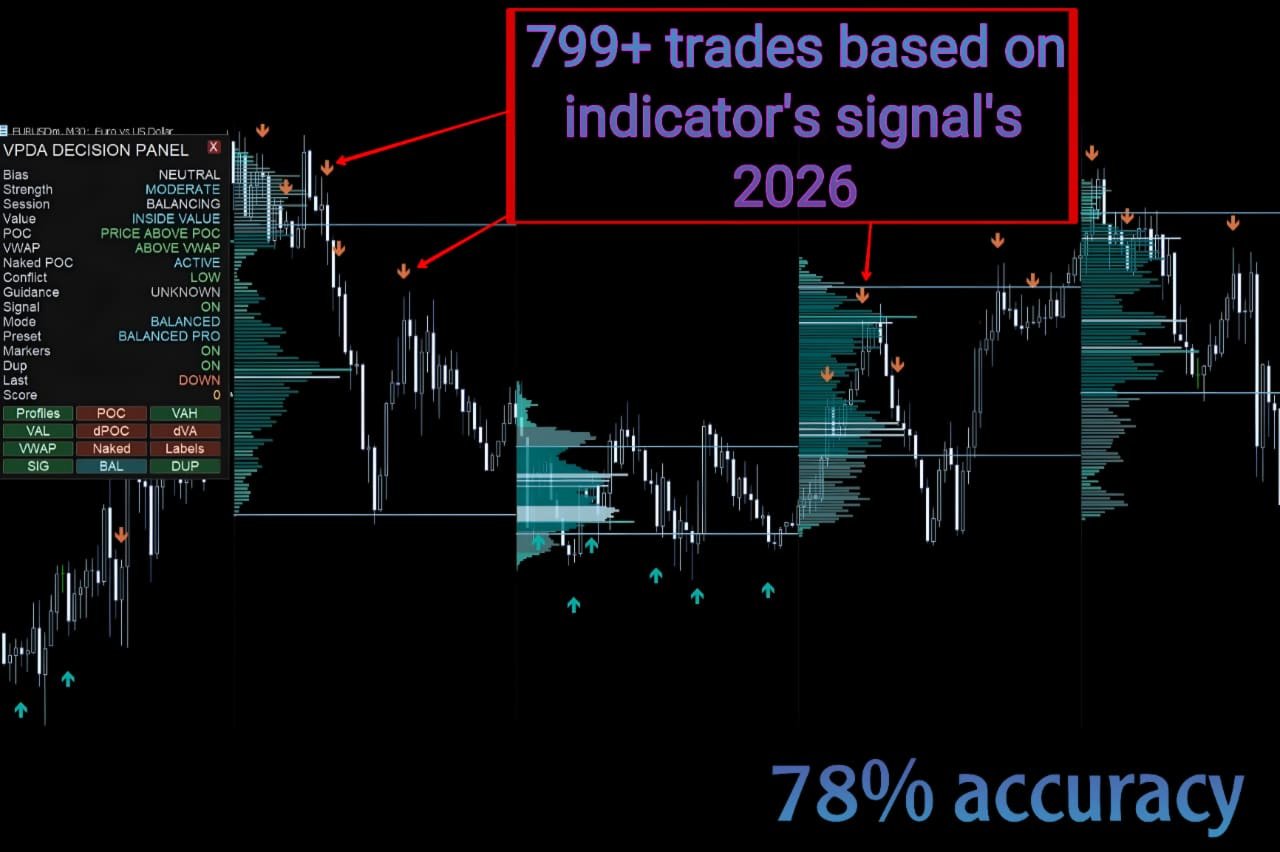
No direct public MQL5 account was identified in the reviewed listing. An indicator marks information or setups; its chart examples do not establish the returns of a complete trading system. Assess signal timing, repainting behaviour and the rules used to act on a signal.
What to assess before choosing Voluris Volume profile engine
Check whether profiles reset at the expected broker session. Distinguish tick-volume context from exchange volume, and define the entry rule before reviewing successful historical reactions.
Third-party product research, not YO4X trading results. Past results do not establish future returns.
Publisher material
Voluris Volume profile engine images
Original publisher material. Embedded figures may describe a simulation or an earlier account snapshot; this is not a YO4X result.Original source ↗
Try before choosing
Voluris Volume profile engine: free download and setup
The publisher listed this product as free at review. Open its official MQL5 listing and use the MetaTrader terminal download workflow. Confirm the current listing and licence before installation.
For Voluris Volume profile engine, use the setup notes above to identify what the tester can demonstrate and what still requires a supported account, data source or publisher guidance. Read MQL5’s product-testing rules ↗
Explore YO4X
Free local access. Clear product terms.
YO4X offers free local access to its supported strategy catalogue through the Windows app on supported MT5 demo accounts. This research page does not confirm that Voluris Volume profile engine is included or compatible.
The publisher listed Voluris Volume profile engine as free at review. Download it through the official MQL5 listing; its licence and installation requirements still apply. YO4X does not distribute the publisher’s EX5 file from this page.
Ask support about current app availability before choosing a strategy. Arbitrary EX5 uploads are not supported; cloud execution and brokerage costs are separate.
Does Voluris show all trading volume in the global market?
That depends on its data source and instrument, and should not be assumed. A retail broker may supply tick activity rather than centralized exchange volume. Confirm what the profile actually measures before interpreting its levels as market-wide participation. The workspace can organize available data without making that data complete or universally representative.
Where is the free Voluris Volume profile engine download?
The publisher’s official MQL5 listing offered this volume-profile product free when checked on September 17, 2026. Use the official source for the download and its terms. The publisher’s separate Gold signal product and YO4X app inclusion are separate questions.
Sources and editorial notes
Source review: 17 September 2026. This guide draws on the official product listing. A link does not mean we have reviewed the file contents. Where reviewed, the guide summarizes them with attribution.
YO4X Research is the site’s editorial attribution, not a certification or a named independent tester. We have not installed or forward-tested this product for this guide. Publisher claims, screenshots and source-account statistics do not establish that the current version reproduces those results. Artwork belongs to its original publisher.