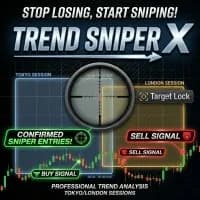
Trend Sniper X is a multi-timeframe indicator for MetaTrader 5, not simply another autonomous Gold EA. It displays directional candles, change signals, session ranges and confirmation information. The author offers an Auto-Trade Assistant separately within the purchase package. This research distinguishes the indicator’s interpretation tools from any execution connection, because an on-chart arrow does not itself define position risk or guarantee an executable entry.
The indicator allows its analysis timeframe to differ from the visible chart. A trader can therefore view short bars while using a higher-period directional context. Record both choices when comparing screenshots or signal observations. Higher-period information may still evolve before its bar closes, so establish exactly when the displayed state is considered confirmed. The publisher says arrows follow a confirmed trend change; the timing of that confirmation matters more than the visual neatness of a historical chart.
Confirmation tools describe different conditions
The listing describes stochastic confirmation states and an ADX-based strength monitor, alongside weak or uncertain bar markings. Momentum confirmation, trend strength and direction answer related but different questions. Decide in advance whether all must agree and what counts as an invalid setup. Without that rule, selecting the attractive arrows after the fact can overstate how usable the system is. A demo log of signals as they appear is a stronger evaluation method than a collection of winning examples.
Session context and optional automation
Session boxes cover Sydney, Tokyo, London and New York with adjustable timing. Match these settings to the broker clock and daylight-saving convention before interpreting a range. The publisher emphasises London and New York activity, but that is a claim to examine on the chosen instrument rather than a universal ranking of sessions. If using the offered automation assistant, test how it reads the indicator and manages repeated alerts, exits and interruptions. The indicator’s suggested levels remain inputs to a risk process.
Before installation
Settings and setup requirements
These notes summarize the publisher material reviewed for Trend Sniper X. Check the original manual and current release before configuring an account.
Product type
Multi-timeframe indicator
Display
Directional candles, arrows, session boxes and confirmation dashboard
Automation
Optional publisher-supplied Auto-Trade Assistant; separate configuration required
Publisher price at review
149 USD. Confirm current purchase and rental terms on MQL5.
No direct public MQL5 account was identified in the reviewed listing. An indicator marks information or setups; its chart examples do not establish the returns of a complete trading system. Assess signal timing, repainting behaviour and the rules used to act on a signal.
What to assess before choosing Trend Sniper X
Record chart and analysis timeframes independently.
Observe confirmation timing without selecting only successful historical arrows.
Check session clocks before comparing ranges across brokers.
Third-party product research, not YO4X trading results. Past results do not establish future returns.
Publisher material
Trend Sniper X images
Original publisher material. Embedded figures may describe a simulation or an earlier account snapshot; this is not a YO4X result.Original source ↗
Try before choosing
Trend Sniper X: tester demo and licence options
MQL5 provides tester-only demonstrations for Market EAs and indicators. Open the original listing to check its demo option. An EA demo runs its trading logic in the Strategy Tester; an indicator demo is viewed in visual testing mode. This is different from receiving a free licence to run the full product on an online chart.
For Trend Sniper X, use the setup notes above to identify what the tester can demonstrate and what still requires a supported account, data source or publisher guidance. Read MQL5’s product-testing rules ↗
Explore YO4X
Free local access. Clear product terms.
YO4X offers free local access to its supported strategy catalogue through the Windows app on supported MT5 demo accounts. This research page does not confirm that Trend Sniper X is included or compatible.
A free full-product licence is not confirmed here for Trend Sniper X. Check the publisher’s current purchase, rental or tester options on MQL5. YO4X does not distribute the publisher’s EX5 file from this page.
Ask support about current app availability before choosing a strategy. Arbitrary EX5 uploads are not supported; cloud execution and brokerage costs are separate.
The public listing describes an indicator. An automation assistant is offered to purchasers, but that does not make every visual configuration an automated strategy. Evaluate the indicator’s signals and the assistant’s order behaviour separately, using the current author instructions for their connection.
Can I reproduce a screenshot with only the same chart period?
Not necessarily. The analysis timeframe is independently selectable, and session times and confirmation settings can also differ. Record the full configuration. A screenshot without those details is useful for understanding the interface but insufficient for reproducing a signal sequence.
Sources and editorial notes
Source review: 17 September 2026. This guide draws on the official product listing, 2 linked publisher guidance references. A link does not mean we have reviewed the file contents. Where reviewed, the guide summarizes them with attribution.
YO4X Research is the site’s editorial attribution, not a certification or a named independent tester. We have not installed or forward-tested this product for this guide. Publisher claims, screenshots and source-account statistics do not establish that the current version reproduces those results. Artwork belongs to its original publisher.