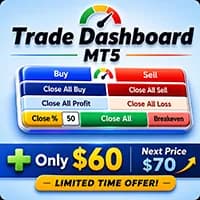
Trade Dashboard MT5 is a trading utility for order placement, position sizing and management from the chart. It supports partial closes, breakeven, trailing and basket functions. These controls assist an existing trading process rather than supply independently verified entry predictions.
Sizing can reference balance, equity, free margin or a cash amount. Confirm the selected reference and include spread and commission in the risk calculation. Partial close volumes must comply with broker lot steps; a visually planned fraction may need rounding.
Configuration and evidence to review
Basket and grid tools can affect positions beyond a single entry. Test which symbols and identifiers are managed before enabling global close rules or manual-trade management. Virtual protection depends on runtime, while broker-side stops have different failure conditions. Save configurations separately for different account workflows.
Before installation
Settings and setup requirements
These notes summarize the publisher material reviewed for Trade Dashboard MT5. Check the original manual and current release before configuring an account.
No direct MQL5 signal account was identified in the reviewed description. For analytical tools, account performance also depends on the separate trading rules and execution.
What to assess before choosing Trade Dashboard MT5
Does this utility generate an independent trading edge?
Verify the tool’s data source, timing and role separately from trade execution.
Third-party product research, not YO4X trading results. Past results do not establish future returns.
Publisher material
Trade Dashboard MT5 images
Original publisher material. Embedded figures may describe a simulation or an earlier account snapshot; this is not a YO4X result.Original source ↗
Try before choosing
Trade Dashboard MT5: licence and demonstration options
Trading utilities may depend on live messages, chart interaction or external connections that a historical tester cannot reproduce. Check the original listing for a demonstration, video or rental option. Any publisher-offered trial must be checked for duration, demo-account limits and required connections; this guide does not verify a free unrestricted version.
The publisher links a trial reference: demo version ↗. Check that page for account restrictions, duration and available features.
For Trade Dashboard MT5, use the setup notes above to identify what the tester can demonstrate and what still requires a supported account, data source or publisher guidance. Read MQL5’s product-testing rules ↗
Explore YO4X
Free local access. Clear product terms.
YO4X offers free local access to its supported strategy catalogue through the Windows app on supported MT5 demo accounts. This research page does not confirm that Trade Dashboard MT5 is included or compatible.
A free full-product licence is not confirmed here for Trade Dashboard MT5. Check the publisher’s current purchase, rental or tester options on MQL5. YO4X does not distribute the publisher’s EX5 file from this page.
Ask support about current app availability before choosing a strategy. Arbitrary EX5 uploads are not supported; cloud execution and brokerage costs are separate.
Does this utility generate an independent trading edge?
The documented focus is trade execution and management. Entry decisions and evaluation of their quality remain separate.
Is Trade Dashboard MT5 free?
The reviewed official listing is paid. This independent guide does not provide an authorised free copy or establish availability inside YO4X. A demo or bonus is not the same as a free full-product licence.
Does this guide verify Trade Dashboard MT5 live returns?
No. Publisher descriptions and screenshots are source material, not independently verified account returns. Any linked monitoring should be checked for account type, dates, deposits, withdrawals and floating drawdown.
Sources and editorial notes
Source review: 22 September 2026. This guide draws on the official product listing, 3 linked publisher guidance references. A link does not mean we have reviewed the file contents. Where reviewed, the guide summarizes them with attribution.
YO4X Research is the site’s editorial attribution, not a certification or a named independent tester. We have not installed or forward-tested this product for this guide. Publisher claims, screenshots and source-account statistics do not establish that the current version reproduces those results. Artwork belongs to its original publisher.