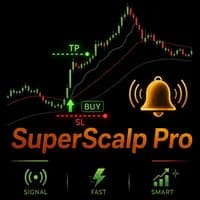
SuperScalp Pro is a multi-filter scalping indicator built around Supertrend with additional trend, momentum, volume and volatility confirmations. It displays entries and ATR-based management levels, while a separate Auto Trader product can automate supported signals. The indicator also includes simulated statistics. Those figures should be distinguished from broker-executed account results and from the performance of any automation configuration.
Filter combinations define the method being tested
The publisher lists several optional confirmations, including VWAP, EMA, RSI, ADX, volume, Bollinger Bands and divergence. More filters can reduce signals without necessarily improving their net outcome. Record which are active and change one decision at a time. The on-chart dashboard makes toggling convenient, but frequent retrospective changes can create a fitted method that was never followed in real time. Preserve a baseline configuration and observe new signals before judging an adjustment.
ATR levels adapt distances, not account suitability
A volatility-derived stop or target can change as market conditions change. Position volume must still be interpreted against the resulting monetary loss, contract value and costs. Compare the suggested levels with the actual fill if the alert arrives after price has moved. A visual target hit in historical simulation is not proof that an order submitted later would have obtained the same result. The difference is especially relevant on short chart periods and instruments with variable spreads.
Automation is a distinct product connection
The linked SuperScalp Pro Auto Trader is separate from the indicator. Verify supported inputs, signal timing and order-management rules before enabling it. The publisher supplies set files and a user guide, which should be matched to the installed versions of both tools. The broad instrument list includes Gold, crypto, Forex and indices; it does not imply that one setting has been validated identically across them. Each contract, timeframe and session combination requires its own evidence.
Manual detail: statistics are an on-chart simulator
The user guide explicitly calls the statistics panel a historical signal simulator rather than a full strategy test. It also notes that the time filter should be aligned to broker server time. Use the panel for configuration comparison while keeping a separate forward record, because repeatedly choosing the best historical filter combination can fit noise. Changes to the ATR multiplier should be logged with the resulting stop distance and not treated as a simple cosmetic adjustment.
Before installation
Settings and setup requirements
These notes summarize the publisher material reviewed for SuperScalp Pro. Check the original manual and current release before configuring an account.
Product role
Scalping indicator with configurable confirmation layers
Automation
Separate SuperScalp Pro Auto Trader connection
Publisher example
XAUUSD M1 for London-session scalping; other markets and periods listed
Publisher price at review
79 USD. Confirm current purchase and rental terms on MQL5.
No direct public MQL5 account was identified in the reviewed listing. An indicator marks information or setups; its chart examples do not establish the returns of a complete trading system. Assess signal timing, repainting behaviour and the rules used to act on a signal.
What to assess before choosing SuperScalp Pro
Record the exact enabled filter combination.
Separate indicator simulation from broker execution.
Match indicator and Auto Trader versions before testing their connection.
Third-party product research, not YO4X trading results. Past results do not establish future returns.
Publisher material
SuperScalp Pro images
Original publisher material. Embedded figures may describe a simulation or an earlier account snapshot; this is not a YO4X result.Original source ↗
Try before choosing
SuperScalp Pro: tester demo and licence options
MQL5 provides tester-only demonstrations for Market EAs and indicators. Open the original listing to check its demo option. An EA demo runs its trading logic in the Strategy Tester; an indicator demo is viewed in visual testing mode. This is different from receiving a free licence to run the full product on an online chart.
For SuperScalp Pro, use the setup notes above to identify what the tester can demonstrate and what still requires a supported account, data source or publisher guidance. Read MQL5’s product-testing rules ↗
Explore YO4X
Free local access. Clear product terms.
YO4X offers free local access to its supported strategy catalogue through the Windows app on supported MT5 demo accounts. This research page does not confirm that SuperScalp Pro is included or compatible.
A free full-product licence is not confirmed here for SuperScalp Pro. Check the publisher’s current purchase, rental or tester options on MQL5. YO4X does not distribute the publisher’s EX5 file from this page.
Ask support about current app availability before choosing a strategy. Arbitrary EX5 uploads are not supported; cloud execution and brokerage costs are separate.
Does installing SuperScalp Pro automatically trade?
The listing describes an indicator and points to a separate automation product. Without a configured execution connection, the displayed signals and levels remain analysis tools. Test the complete signal-to-order workflow and management behaviour rather than assuming chart arrows are broker instructions.
Are the built-in statistics verified live performance?
They are described as trading-simulation statistics. Actual account results include execution, costs and configuration choices that may not be represented identically. Keep those categories separate and compare new, time-stamped signals with an execution journal if evaluating practical use.
Sources and editorial notes
Source review: 17 September 2026. This guide draws on the official product listing, 2 linked publisher guidance references. A link does not mean we have reviewed the file contents. Where reviewed, the guide summarizes them with attribution.
YO4X Research is the site’s editorial attribution, not a certification or a named independent tester. We have not installed or forward-tested this product for this guide. Publisher claims, screenshots and source-account statistics do not establish that the current version reproduces those results. Artwork belongs to its original publisher.