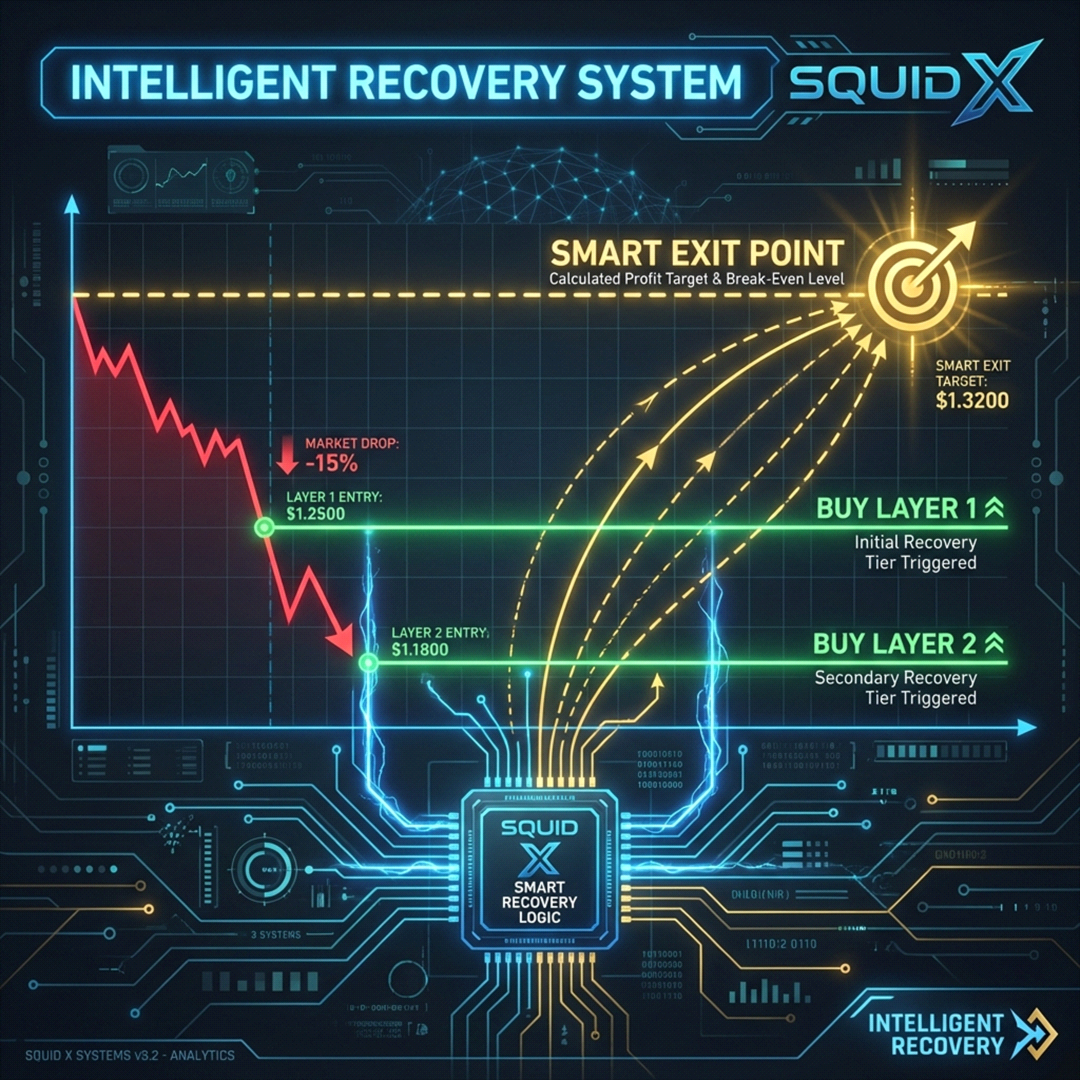
Squid X EA is a XAUUSD H1 system by Duy Van Nguy. The publisher describes price action, trendlines, Fibonacci levels and moving averages alongside a recovery mode, spread filtering and configurable sizing. Its update history is relevant to evaluation because recovery and stop-loss behaviour have changed between releases.
Do not evaluate the first entry in isolation from what happens after an adverse move. The listing contains a recovery mode, and the update history references grid-order behaviour. Review the number of added positions, total size, basket exit conditions and worst floating loss. A run with recovery disabled is not directly comparable to one that enables it.
Stop-loss units changed between versions
The version history describes moving stop configuration from pips to cash terms and changing how that value interacts with risk sizing. Copying a legacy input into a new release can therefore alter its meaning. Read the migration notes and inspect a demo trade’s cash exposure before accepting a previously saved setup. Confirm the lot calculation against account equity and symbol specifications.
Use the public account as a configuration-specific reference
The linked MQL5 signal can help review activity, but it does not establish that your settings or fills will match. Compare time-zone assumptions, permitted session hours and execution costs. Examine losing sequences and recovery duration rather than only aggregate growth. A daily trade cap can change frequency and may affect how quickly a basket resolves.
Before installation
Settings and setup requirements
These notes summarize the publisher material reviewed for Squid X EA. Check the original manual and current release before configuring an account.
Chart
XAUUSD H1
Sizing
Fixed lot or percentage risk
Version check
Review stop-loss units and recovery settings when updating
Publisher price at review
777 USD. Confirm current purchase and rental terms on MQL5.
Source evidence
Signals, profit and drawdown
The publisher links public monitoring. Account statistics have not been independently checked for this guide; open the source for current figures, account type and warnings.
The cached signal did not expose a complete numerical account snapshot.
What to assess before choosing Squid X EA
Record recovery mode and basket size.
Check cash risk after an update.
Compare broker time and trading-session inputs.
Third-party product research, not YO4X trading results. Past results do not establish future returns.
Publisher material
Squid X EA images
Original publisher material. Embedded figures may describe a simulation or an earlier account snapshot; this is not a YO4X result.Original source ↗
Try before choosing
Squid X EA: tester demo and licence options
MQL5 provides tester-only demonstrations for Market EAs and indicators. Open the original listing to check its demo option. An EA demo runs its trading logic in the Strategy Tester; an indicator demo is viewed in visual testing mode. This is different from receiving a free licence to run the full product on an online chart.
For Squid X EA, use the setup notes above to identify what the tester can demonstrate and what still requires a supported account, data source or publisher guidance. Read MQL5’s product-testing rules ↗
Explore YO4X
Free local access. Clear product terms.
YO4X offers free local access to its supported strategy catalogue through the Windows app on supported MT5 demo accounts. This research page does not confirm that Squid X EA is included or compatible.
A free full-product licence is not confirmed here for Squid X EA. Check the publisher’s current purchase, rental or tester options on MQL5. YO4X does not distribute the publisher’s EX5 file from this page.
Ask support about current app availability before choosing a strategy. Arbitrary EX5 uploads are not supported; cloud execution and brokerage costs are separate.
No. Its update history includes grid-order changes and its documented recovery behaviour needs explicit review.
Can old stop-loss settings be reused without checking?
No. The published updates change stop-loss units and sizing behaviour; validate the installed version first.
Is Squid X free through this guide?
No. This is independent research about a paid MQL5 product. It does not provide an authorised free copy or establish availability inside YO4X. Any marketplace demo, licence, updates and support remain subject to the publisher’s terms.
Sources and editorial notes
Source review: 22 September 2026. This guide draws on the official product listing and 1 publisher-linked account reference. A link does not mean we have reviewed the file contents. Where reviewed, the guide summarizes them with attribution.
YO4X Research is the site’s editorial attribution, not a certification or a named independent tester. We have not installed or forward-tested this product for this guide. Publisher claims, screenshots and source-account statistics do not establish that the current version reproduces those results. Artwork belongs to its original publisher.