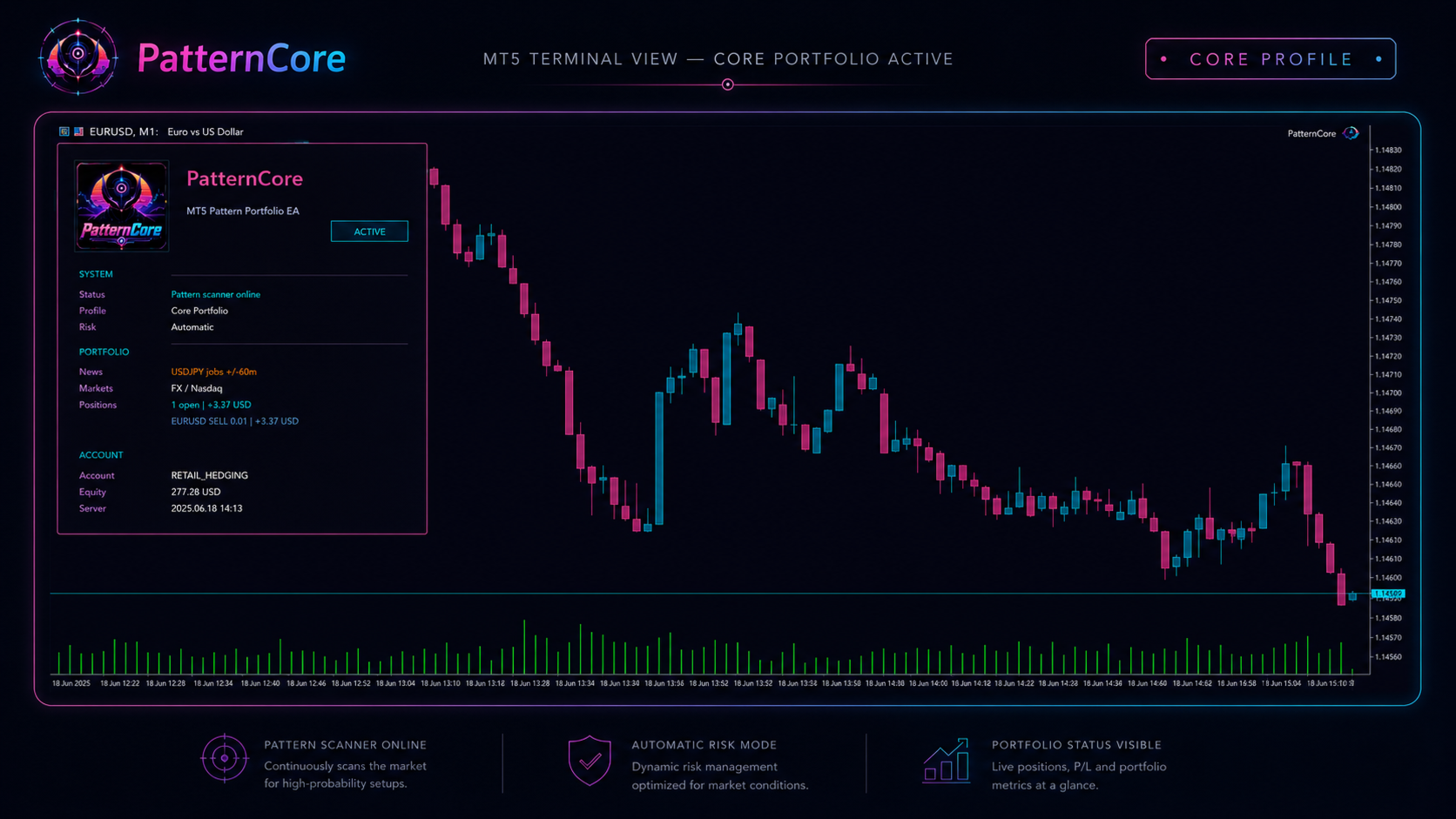
PatternCore trades predefined intraday patterns across several markets from one EURUSD chart. Core, Full and Custom portfolios have different instrument coverage and exposure.
The publisher says individual market switches apply only in Custom Portfolio. Core and Full profiles determine their own market lists; Full adds Gold and Bitcoin beyond Core’s Forex and Nasdaq exposure. A user can therefore change a switch without changing the active markets if the wrong profile is selected. Confirm the actual enabled instruments on the dashboard and compare the public Core-profile account only with the matching configuration.
Prop-firm controls need the actual account rules
The optional protection layer includes news restrictions, projected portfolio stop risk and daily/maximum-loss guards. These are configurable mechanisms, not a certification of compliance for every firm. Match reset times and reference balances to the current account terms. The source requires hedging mode and disables trading on netting or exchange accounts. Selective pattern windows also mean quiet days may be normal rather than evidence that risk settings should be increased.
Before installation
Settings and setup requirements
These notes summarize the publisher material reviewed for PatternCore EA. Check the original manual and current release before configuring an account.
Attachment
EURUSD M1, one instance
Account
MT5 hedging required
Profiles
Core, Full or Custom; market switches apply only to Custom
Publisher price at review
199 USD. Confirm current purchase and rental terms on MQL5.
These figures are a dated snapshot of the first account linked in the publisher description. They describe that source account, not a controlled YO4X test. Check current history, cash flows and account warnings before drawing conclusions.
Dated publisher-linked MQL5 account snapshot · Source labels this a real account · Checked 2026-09-22. The first recorded linked source is used consistently, not selected by return.
Match the signal’s Core profile before comparing it with a Full portfolio backtest.
Third-party product research, not YO4X trading results. Past results do not establish future returns.
Publisher material
PatternCore EA images
Original publisher material. Embedded figures may describe a simulation or an earlier account snapshot; this is not a YO4X result.Original source ↗
Try before choosing
PatternCore EA: tester demo and licence options
MQL5 provides tester-only demonstrations for Market EAs and indicators. Open the original listing to check its demo option. An EA demo runs its trading logic in the Strategy Tester; an indicator demo is viewed in visual testing mode. This is different from receiving a free licence to run the full product on an online chart.
For PatternCore EA, use the setup notes above to identify what the tester can demonstrate and what still requires a supported account, data source or publisher guidance. Read MQL5’s product-testing rules ↗
Explore YO4X
Free local access. Clear product terms.
YO4X offers free local access to its supported strategy catalogue through the Windows app on supported MT5 demo accounts. This research page does not confirm that PatternCore EA is included or compatible.
A free full-product licence is not confirmed here for PatternCore EA. Check the publisher’s current purchase, rental or tester options on MQL5. YO4X does not distribute the publisher’s EX5 file from this page.
Ask support about current app availability before choosing a strategy. Arbitrary EX5 uploads are not supported; cloud execution and brokerage costs are separate.
Why do manual symbol switches seem to have no effect?
The publisher states that those switches are used only with Custom Portfolio. Core and Full profiles choose their own markets. Verify the selected profile and dashboard instrument list before attempting to change portfolio coverage.
Where should I obtain PatternCore and its current settings?
Use the official MQL5 listing and Kay Alexander Rabe's linked guidance. Confirm the current version, installation instructions and licence before use. This research page does not supply an EX5 file or establish that the product is available inside YO4X.
Sources and editorial notes
Source review: 22 September 2026. This guide draws on the official product listing, 1 linked publisher guidance reference and 1 publisher-linked account reference. A link does not mean we have reviewed the file contents. Where reviewed, the guide summarizes them with attribution.
YO4X Research is the site’s editorial attribution, not a certification or a named independent tester. We have not installed or forward-tested this product for this guide. Publisher claims, screenshots and source-account statistics do not establish that the current version reproduces those results. Artwork belongs to its original publisher.