Btc HyperDrive is a Bitcoin breakout EA with pending-order confirmation, adaptive spread monitoring and configurable economic-news protection. Its differentiating feature is visibility into execution conditions: the publisher describes a spread-history panel and selectable calendar sources. The product’s behavior therefore depends on more than whether Bitcoin crosses a chart level.
The EA waits for price confirmation and supports fixed-volume or percentage-based sizing. A pending order may be placed before it is filled, so inspect placement, activation and cancellation separately. The author describes margin-aware controls and a protective stop, without martingale or averaging down. Those features describe how exposure is managed; they do not establish that a chosen stop remains affordable under every broker’s Bitcoin contract.
Native and external news sources
The default news option uses the MetaTrader 5 economic calendar. The alternative external source requires an allowed WebRequest destination, while automatic fallback is described as another option. This is a useful operational difference: an empty news panel can reflect connectivity or configuration, rather than an absence of relevant events. Record which source actually supplied the calendar and check the event impact filters and blocked trading intervals.
Review spread adaptation and candle trailing
A changing spread threshold can reject trades that an earlier fixed limit would have accepted. Use the diagnostic history to relate skipped setups to actual spread expansion, rather than judging the filter only by the trades that remain. Candle trailing is optional and follows completed bars. Compare it with the original exit mode using the same history and costs, and inspect whether a larger remaining distance to the stop changes the amount of open profit given back.
Before installation
Settings and setup requirements
These notes summarize the publisher material reviewed for Btc HyperDrive EA. Check the original manual and current release before configuring an account.
Instrument
Bitcoin/BTC trading; confirm the broker’s exact symbol and contract.
Sizing
Fixed lots or percentage risk with margin checks.
News setup
Native MT5 calendar by default; an external calendar is optional and needs its stated WebRequest permission.
Publisher price at review
72 USD. Confirm current purchase and rental terms on MQL5.
Source evidence
Signals, profit and drawdown
No direct public MQL5 account was identified in the reviewed product description. Ask the publisher for current monitoring; this does not establish that no account exists.
What to assess before choosing Btc HyperDrive EA
Keep a record of adaptive spread decisions, not just filled orders.
Check rollover and trading-hours settings against the broker’s actual session breaks.
Third-party product research, not YO4X trading results. Past results do not establish future returns.
Publisher material
Btc HyperDrive EA images
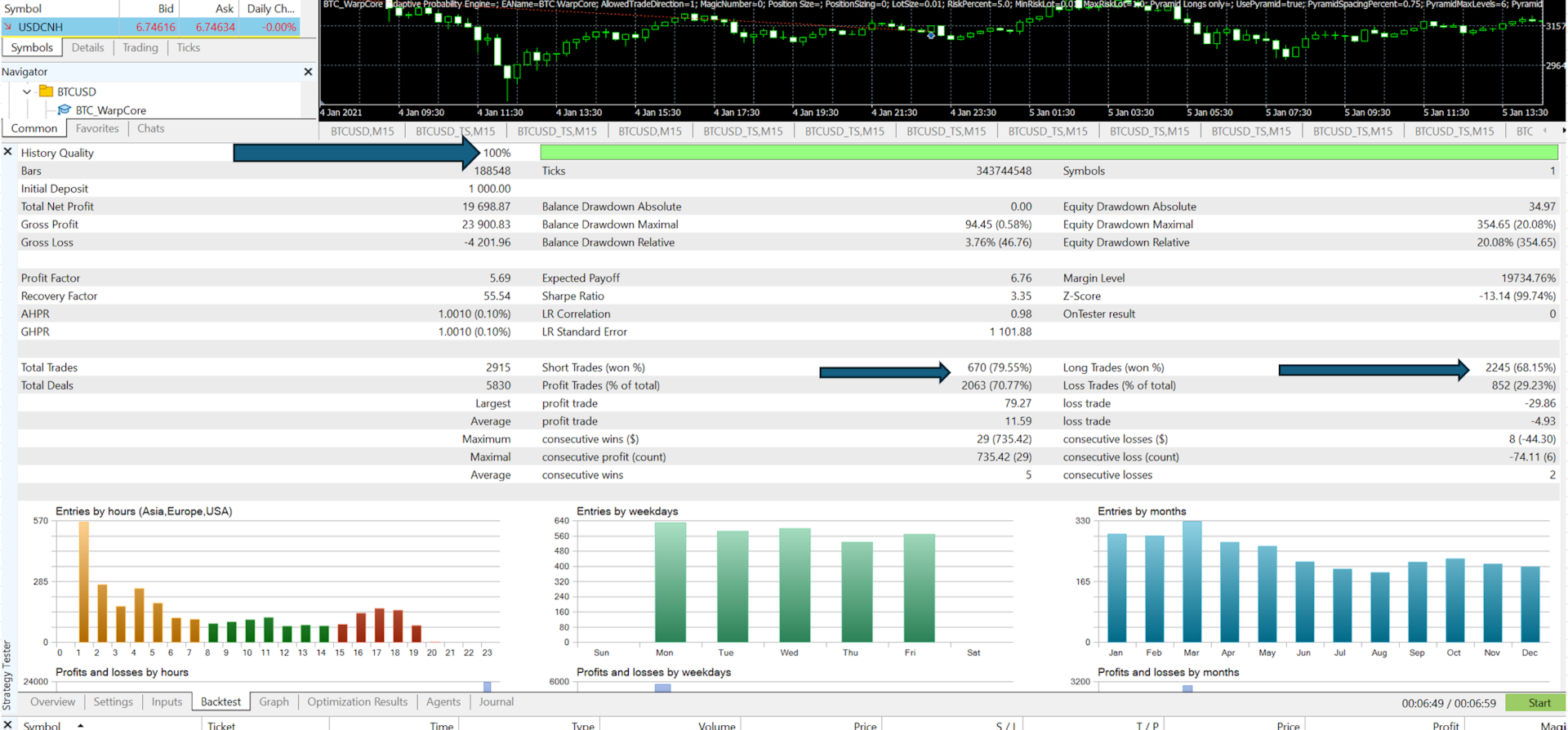
Original publisher material. Embedded figures may describe a simulation or an earlier account snapshot; this is not a YO4X result.Original source ↗
Try before choosing
Btc HyperDrive EA: tester demo and licence options
MQL5 provides tester-only demonstrations for Market EAs and indicators. Open the original listing to check its demo option. An EA demo runs its trading logic in the Strategy Tester; an indicator demo is viewed in visual testing mode. This is different from receiving a free licence to run the full product on an online chart.
For Btc HyperDrive EA, use the setup notes above to identify what the tester can demonstrate and what still requires a supported account, data source or publisher guidance. Read MQL5’s product-testing rules ↗
Explore YO4X
Free local access. Clear product terms.
YO4X offers free local access to its supported strategy catalogue through the Windows app on supported MT5 demo accounts. This research page does not confirm that Btc HyperDrive EA is included or compatible.
A free full-product licence is not confirmed here for Btc HyperDrive EA. Check the publisher’s current purchase, rental or tester options on MQL5. YO4X does not distribute the publisher’s EX5 file from this page.
Ask support about current app availability before choosing a strategy. Arbitrary EX5 uploads are not supported; cloud execution and brokerage costs are separate.
Does the default calendar require an external URL?
The publisher says the native calendar does not require the external WebRequest setup. Only enable the external source if you intend to use it and understand its configuration.
Does the trailing stop move on an unfinished candle?
The described candle-based option follows completed candles. Verify the installed version and observe actual stop modifications in demo history, because the selected exit mode determines what happens.
Sources and editorial notes
Source review: 17 September 2026. This guide draws on the official product listing. A link does not mean we have reviewed the file contents. Where reviewed, the guide summarizes them with attribution.
YO4X Research is the site’s editorial attribution, not a certification or a named independent tester. We have not installed or forward-tested this product for this guide. Publisher claims, screenshots and source-account statistics do not establish that the current version reproduces those results. Artwork belongs to its original publisher.