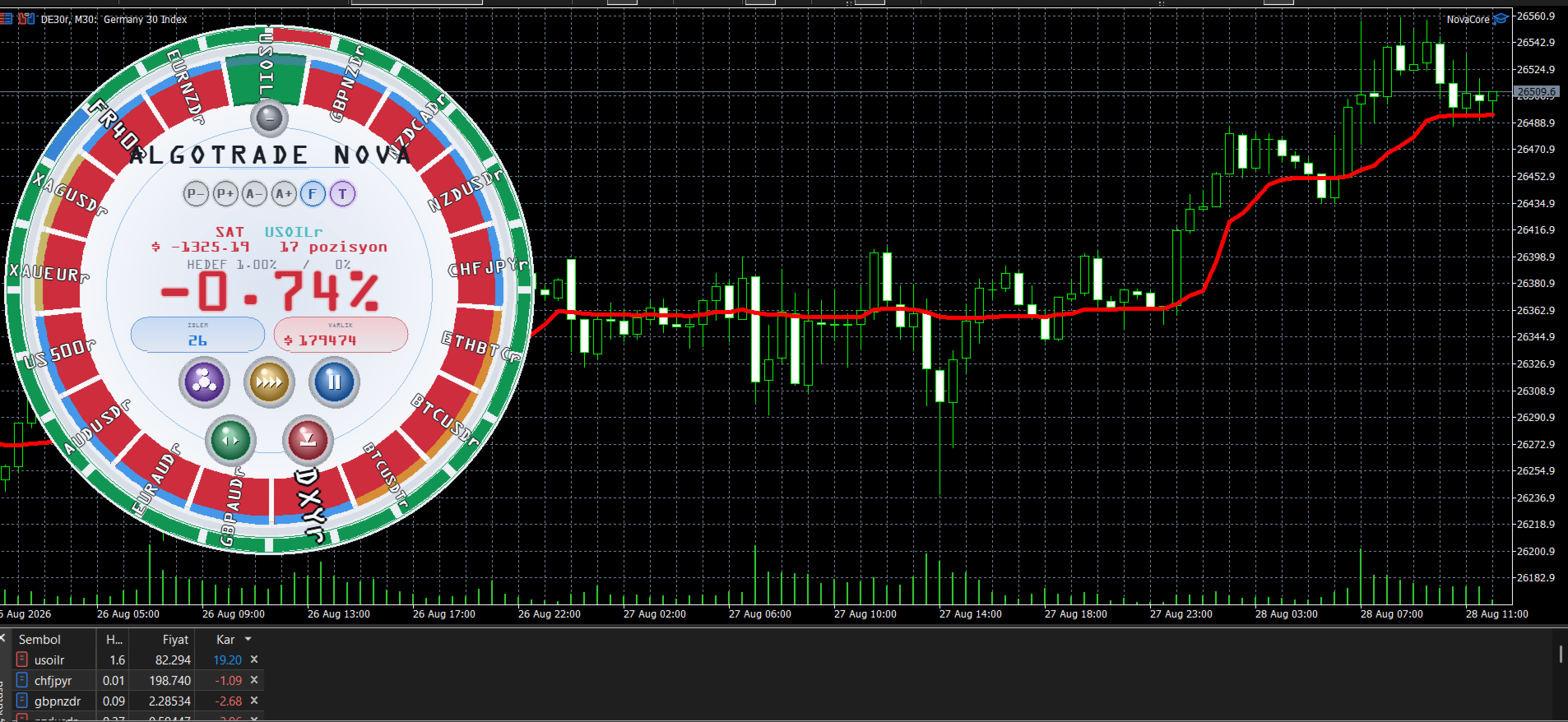
Algotrade is a multi-asset MT5 EA with a symbol-ranking panel and locally enforced exits. The publisher explicitly says new orders do not carry broker-side stop-loss and take-profit levels.
Its instrument states distinguish candidates being probed, retained or sidelined. The system permits one position per symbol, which can still mean many positions across the account. Account-harvest rules and optional reverse-signal repositioning further change exposure. Virtual protection depends on terminal operation, making connectivity and restart behaviour central to evaluating this product.
Evaluating Algotrade in practice
Algotrade’s virtual exit design makes terminal availability part of the risk mechanism. Observe which protective instructions, if any, exist at the broker immediately after an order opens. Then test a controlled demo interruption and document what happens until the application resumes. A locally calculated loss ceiling cannot execute while its process is unavailable.
The instrument-ranking states can also change the opportunity set. Preserve the active universe and state transitions so a later result can be explained. Reviewing only the symbols that remained successful would omit those that were probed and sidelined after losses.
The optional reverse-signal repositioning is described as using measured loss in the next size calculation. That deserves separate assessment from the default mode, even though the publisher distinguishes it from classic martingale doubling. Inspect the proposed volume after a loss and the cumulative account exposure across symbols. Account-harvest rules should be checked for scope: whether they close only the EA’s positions or other account exposure matters when the tool shares a terminal with another strategy.
Before installation
Settings and setup requirements
These notes summarize the publisher material reviewed for Algotrade EA. Check the original manual and current release before configuring an account.
Publisher setup notes
Choose solo or multi-symbol mode and pace profile; review virtual exits, account harvest and optional reverse-signal recovery sizing.
Documentation
Check the original listing and contact the publisher for the current manual or presets. A purchase-only document is not reproduced here.
Publisher price at review
225 USD. Confirm current purchase and rental terms on MQL5.
Source evidence
Signals, profit and drawdown
No direct public MQL5 account was identified in the reviewed product description. Ask the publisher for current monitoring; this does not establish that no account exists.
What to assess before choosing Algotrade EA
Test disconnection and restart on demo before considering live operation. Measure aggregate exposure across symbols and document whether account-level exit rules include all open positions.
Third-party product research, not YO4X trading results. Past results do not establish future returns.
Publisher material
Algotrade EA images
Original publisher material. Embedded figures may describe a simulation or an earlier account snapshot; this is not a YO4X result.Original source ↗
Try before choosing
Algotrade EA: tester demo and licence options
MQL5 provides tester-only demonstrations for Market EAs and indicators. Open the original listing to check its demo option. An EA demo runs its trading logic in the Strategy Tester; an indicator demo is viewed in visual testing mode. This is different from receiving a free licence to run the full product on an online chart.
For Algotrade EA, use the setup notes above to identify what the tester can demonstrate and what still requires a supported account, data source or publisher guidance. Read MQL5’s product-testing rules ↗
Explore YO4X
Free local access. Clear product terms.
YO4X offers free local access to its supported strategy catalogue through the Windows app on supported MT5 demo accounts. This research page does not confirm that Algotrade EA is included or compatible.
A free full-product licence is not confirmed here for Algotrade EA. Check the publisher’s current purchase, rental or tester options on MQL5. YO4X does not distribute the publisher’s EX5 file from this page.
Ask support about current app availability before choosing a strategy. Arbitrary EX5 uploads are not supported; cloud execution and brokerage costs are separate.
Are Algotrade’s virtual limits the same as broker stop orders?
No. The publisher says new positions use internal risk and target tracking rather than sending those levels with the order. Local logic needs to be running to act. Inspect the terminal and broker records, then test interruption and restart on demo. A displayed threshold alone does not show that an independent protective order exists at the broker.
Can I download Algotrade free through YO4X?
This page is product research and does not distribute the original Algotrade file or confirm it is included in YO4X. Check the official MQL5 listing for current free, demo, rental or purchase options. YO4X’s free local access applies to its supported catalogue; ask support about this exact product.
Sources and editorial notes
Source review: 17 September 2026. This guide draws on the official product listing. A link does not mean we have reviewed the file contents. Where reviewed, the guide summarizes them with attribution.
YO4X Research is the site’s editorial attribution, not a certification or a named independent tester. We have not installed or forward-tested this product for this guide. Publisher claims, screenshots and source-account statistics do not establish that the current version reproduces those results. Artwork belongs to its original publisher.