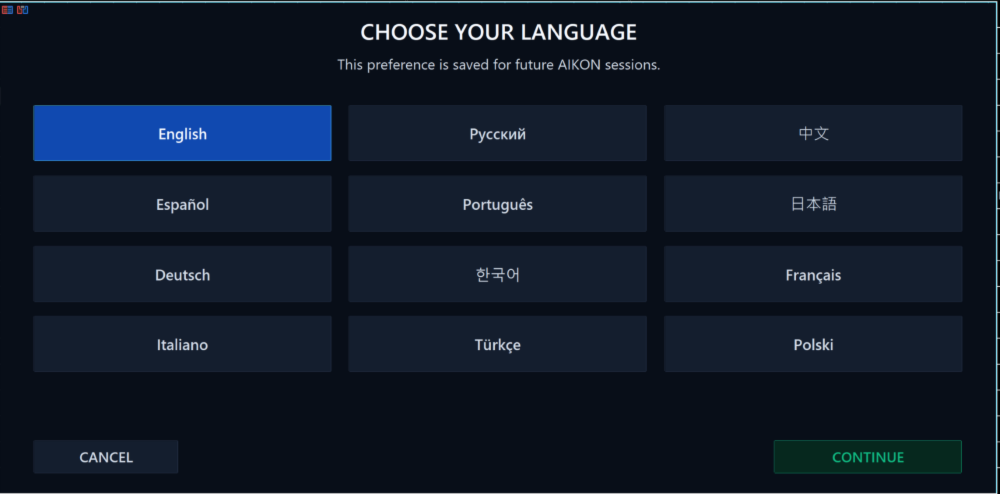
Aikon MT5 is a conversational trading and account-management system described by William Brandon Autry. It connects an AI-assisted operating interface with MetaTrader execution, configurable trading policies and optional multi-account coordination. Its defining feature is the review-and-confirm workflow for operational requests, rather than one fixed Gold entry pattern. This research page separates the connected assistant, the selected trading method and the capital controls so you can evaluate what each part actually does.
The publisher describes starting with an AI provider, model and API key, then selecting a profile or defining an operating policy. Single-entry trading with stop losses and an optional recovery approach are separate choices. A conversation can propose an operation, but the operator is expected to review and confirm changes. For evaluation, follow one request all the way through: the requested action, the proposed settings, the confirmation and the resulting account state. That sequence is more useful than judging the interface by the quality of its conversational reply alone.
Capital allocation is different from account protection
Aikon distinguishes operating capital, a protected reserve and profit available for allocation. The publisher explains that the reserve stays in the trading account; it is not a withdrawal. This matters when interpreting protection language. An internal rule limiting new campaigns does not move cash outside the broker or establish a guaranteed loss ceiling. Test whether existing positions continue to be managed after new activity is blocked, and compare the configured allocation with aggregate exposure across every connected account.
How to evaluate the AI and remote controls
The MetaTrader tester cannot reproduce the full WebRequest-based AI and Telegram workflow described in the listing. Mechanical testing and connected demo observation answer different questions. Measure API consumption, rejected requests, response latency and what happens after a terminal interruption. For a multi-account setup, also check that a command reaches the intended node and reports its applied or refused outcome. A phone conversation depends on the MT5 installation remaining online; it does not make the phone an independent execution server.
Before installation
Settings and setup requirements
These notes summarize the publisher material reviewed for Aikon MT5 EA. Check the original manual and current release before configuring an account.
Connection
AI provider credentials and internet access for connected features
Account mode
Recovery is not supported on netting accounts according to the publisher
Additional cost
Model/API charges are separate from the MQL5 licence
Publisher price at review
997.97 USD. Confirm current purchase and rental terms on MQL5.
Source evidence
Signals, profit and drawdown
No direct public MQL5 account was identified in the reviewed product description. Ask the publisher for current monitoring; this does not establish that no account exists.
What to assess before choosing Aikon MT5 EA
Distinguish a read-only assistant observation from an authorised trading operation.
Record model costs and execution outcomes separately.
Review recovery exposure independently from conversational convenience.
Third-party product research, not YO4X trading results. Past results do not establish future returns.
Publisher material
Aikon MT5 EA images
Original publisher material. Embedded figures may describe a simulation or an earlier account snapshot; this is not a YO4X result.Original source ↗
Try before choosing
Aikon MT5 EA: tester demo and licence options
MQL5 provides tester-only demonstrations for Market EAs and indicators. Open the original listing to check its demo option. An EA demo runs its trading logic in the Strategy Tester; an indicator demo is viewed in visual testing mode. This is different from receiving a free licence to run the full product on an online chart.
For Aikon MT5 EA, use the setup notes above to identify what the tester can demonstrate and what still requires a supported account, data source or publisher guidance. Read MQL5’s product-testing rules ↗
Explore YO4X
Free local access. Clear product terms.
YO4X offers free local access to its supported strategy catalogue through the Windows app on supported MT5 demo accounts. This research page does not confirm that Aikon MT5 EA is included or compatible.
A free full-product licence is not confirmed here for Aikon MT5 EA. Check the publisher’s current purchase, rental or tester options on MQL5. YO4X does not distribute the publisher’s EX5 file from this page.
Ask support about current app availability before choosing a strategy. Arbitrary EX5 uploads are not supported; cloud execution and brokerage costs are separate.
No. A tester can help examine supported mechanical behaviour, but it does not establish that external model calls, remote confirmations or Telegram operations work as intended. Observe these components on a connected demo installation, including rejected operations and reconnection behaviour.
Is Aikon MT5 included free in YO4X?
This is independent product research. The referenced MQL5 product has its own licence and provider costs; this page does not offer an authorised free copy or establish compatibility with YO4X. Follow the publisher source for current purchase and support terms.
Sources and editorial notes
Source review: 17 September 2026. This guide draws on the official product listing. A link does not mean we have reviewed the file contents. Where reviewed, the guide summarizes them with attribution.
YO4X Research is the site’s editorial attribution, not a certification or a named independent tester. We have not installed or forward-tested this product for this guide. Publisher claims, screenshots and source-account statistics do not establish that the current version reproduces those results. Artwork belongs to its original publisher.